
How It Works
One account. One secure ecosystem. A simple path from participation to verified earnings.
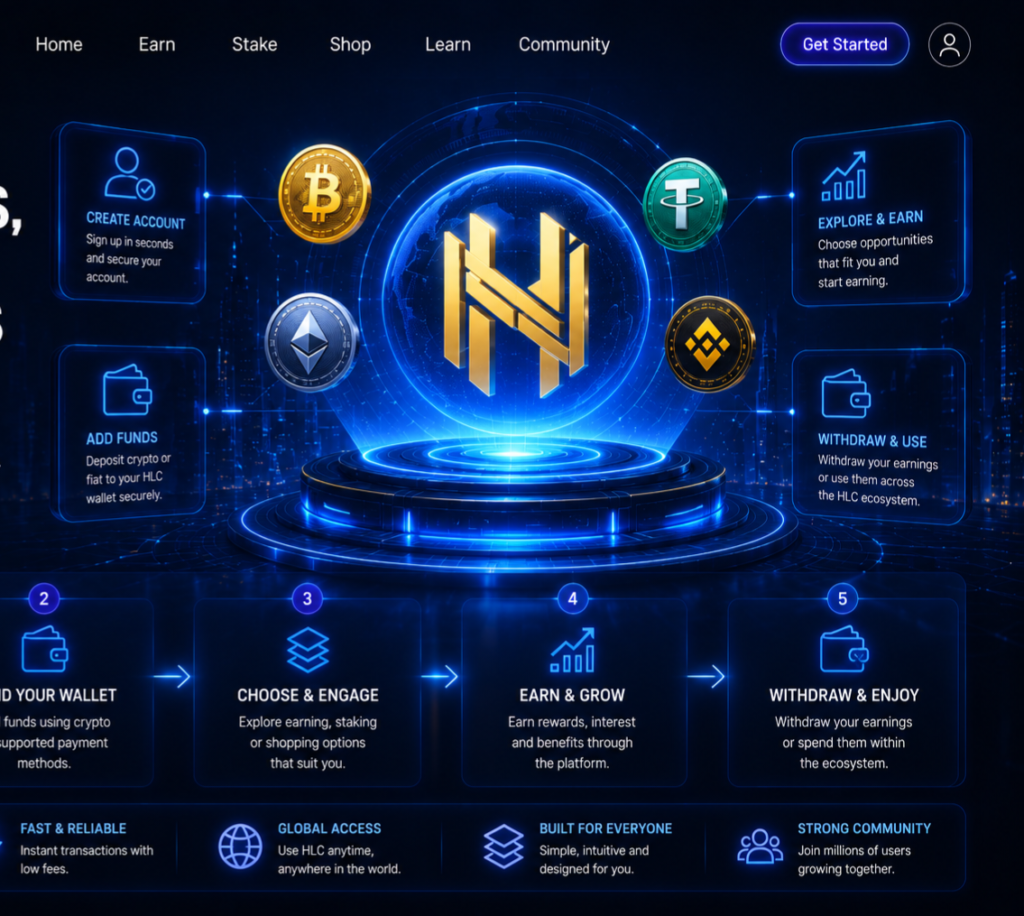
Create your account
Register and complete your profile.
Buy, work & earn
Shop products and complete approved tasks.
Verification
Eligible submissions and transactions are reviewed.
Withdraw
Request an eligible withdrawal from your account.
HOW HLC WORKS
Build. Participate. Earn. Grow.
Hyper Liquid Capital brings digital earning opportunities, tasks, marketplace products, stake participation and rewards together in one account.
1. Create Your HLC Account
Register for an HLC account and sign in to access your personal dashboard.
Your account gives you access to your Wallet, Tasks, Shop, Stake opportunities, referrals, notifications and other available HLC services.
2. Explore Ways to Participate
HLC provides several ways to use the platform.
Tasks: Complete available digital tasks and submit your work for review.
Shop: Browse and purchase digital products and other available marketplace items.
Stake: View available stake participation opportunities, their terms, duration, status and payout information.
Referrals: Invite eligible new users and earn applicable referral rewards.
Bonuses: Receive registration, promotional or administrator-approved rewards where applicable.
3. Complete Tasks
Choose an available task, read its instructions carefully and complete the required activity.
Some tasks may contain questionnaires or PDF documents that can be completed electronically.
Submit the completed task through HLC.
Once approved, the reward is recorded as Task Earnings.
Task earnings remain locked until your qualifying task earnings themselves reach the USD 100 equivalent threshold.
Bonuses and referral earnings cannot be used to artificially reach that threshold.
4. Understand Your Bonuses
Referral and eligible bonus earnings have a separate unlocking system.
They become available when you achieve any one of these:
Task Path: Reach USD 100 equivalent in qualifying task earnings.
Stake Path: Have an approved qualifying stake.
Shop Path: Complete one qualifying HLC Shop purchase worth more than USD 30 equivalent.
These paths unlock eligible referral/bonus earnings. They do not unlock task earnings below the USD 100 task threshold.
5. Participate in Stake Opportunities
Open the Stake/Invest section and select an opportunity.
Check its participation amount, duration, status, payout schedule and displayed target/illustrative information.
An opportunity can be:
AVAILABLE — open for participation.
LIMITED — available subject to restrictions or remaining capacity.
ON HOLD — temporarily unavailable for new participation.
Where an On Hold opportunity has an availability countdown, HLC automatically makes it Available when the hold expires, provided the opportunity remains active.
Submit your participation and follow the displayed payment instructions.
Your stake remains pending until payment is verified and approved.
6. Shop on HLC
Open the HLC Shop, choose your product and proceed to Checkout.
Select your payment method and carefully follow the displayed instructions.
When manual payment verification is required, enter your payment/transaction reference and upload genuine proof of payment.
HLC verifies the payment before completing the applicable order process.
A qualifying Shop purchase above USD 30 equivalent can also satisfy the eligibility condition for releasing eligible referral and bonus earnings.
7. Follow Your Money in Wallet
Your HLC Wallet helps you understand where your money is.
Depending on your activity, you may see:
Available Balance — funds currently available for eligible use/withdrawal.
Current Earnings — earnings accumulated through platform activities.
Locked Earnings — earnings that have not yet satisfied their applicable release conditions.
Staked — funds associated with active stake participation.
Pending Withdrawal — money for which you have already submitted a withdrawal request but which has not yet completed.
The Wallet and transaction history should be used together to understand your account position.
8. Withdraw Available Funds
Once funds are eligible and shown as available, open Withdraw.
Enter the required amount and payment destination and submit the request.
The withdrawal will initially be recorded as Pending while it is awaiting processing.
Your Wallet will continue showing the pending withdrawal so that you can track money currently awaiting payment.
After successful processing, the transaction moves to the appropriate completed/paid status.
9. Follow Your Notifications
HLC uses account notifications to keep you informed about important activity such as task submissions and approvals, stake activity, withdrawals, Shop transactions, bonuses and other account events.
Where supported and enabled by the user, HLC may also provide phone/PWA push notifications.
10. Keep Your Account Safe
Use accurate information, keep your login credentials private and submit only genuine payment information.
Never falsify payment references or proof of payment.
HLC’s verification and security systems are intended to protect both users and the platform.